
Instagram Story Viewer
Anonymous · No sign-up · Free
Nothing here runs on your Instagram login.
HushViewer is an Instagram story viewer that costs nothing and keeps you anonymous, no login involved. Drop a public handle in the box: out come today's stories, the highlight sets under the bio, a slice of recent posts and a Reels tab beside them. Nobody signs in, so your name stays off their viewer list.
What a result looks like
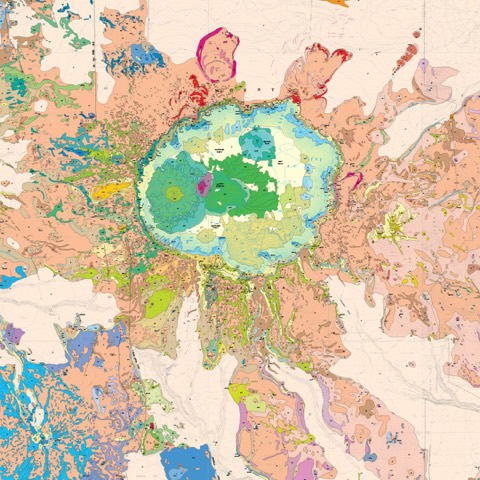
A sample result for the public account of a US government science agency: its card, counters and newest posts, laid out the way HushViewer shows them.

U.S. Geological Survey (USGS) · Verified
@usgs
Trusted earth science data on water resources, energy, minerals, geology, natural hazards, earthquakes, volcanoes & more 🌍🌋🔬🪨
- 2K Posts
- 341.7K Followers
- 119 Following
-
-

-
 Reel
Reel
-

-

-
-
-
 Reel
Reel
-
Static copy of U.S. Geological Survey (USGS) from 17 Oct 2026, here to show the layout. Ownership of the account and every picture stays with {name}. Visit it on Instagram
Three plain sections: what an anonymous reader is, who reaches for one, and where the line between terms of service and actual law sits.
How reading a profile without an account works
Instagram keeps two things apart. One is the content of a public profile, which its owner published for anybody to see. The other is the viewer list on a story, and Instagram fills it only with logged-in accounts. Your lookup carries no Instagram session of yours, so no view can be filed under your name. The poster may spot a view from some account they have never heard of. It is somebody else’s account, never yours. Highlights, the stories an owner pinned on purpose, work the same way. And this page has nothing to like or comment with, so there is nothing to tap by accident. What stays out of reach is just as definite: anything a follow request guards, anything already deleted, and anything on a locked account.
Who ends up needing this
Most people arrive once, for something specific. They are about to answer a stranger, take a flat, hire somebody, buy from a shop with four hundred followers or meet a match from an app. They want to look first. Others come back regularly: an analyst following what a competitor shipped today, a reporter checking a source’s own posts before quoting them, a parent checking what their teenager follows. And plenty just do not want one more app on their phone, or a throwaway account made for a single look. None of that needs defending. None of it needs an account of your own either. A public profile is public, and reading it is not an act that anyone should have to excuse.
Law, platform rules and who can see you
These two get mixed up constantly. A law binds everyone in a country. Instagram’s rulebook binds whoever signed up and pressed accept. That is a private agreement, not legislation. Opening a page its owner deliberately made public is not something most legal systems forbid. The fine print shifts from one country to the next, though. Your name stays invisible to the poster. The poster, at best, may spot one extra view from a profile they can’t place. The lookup itself leaves from our server and is answered by another firm’s data feed. What it receives is the handle you typed, not your IP address. We keep no search history here, and your own account never comes into it. The catch: a shared link carries the handle, and server logs can keep it. The short recent list lives in your browser alone, gone the moment you clear it.
Inside the viewer
-
Active stories
Whatever an open account pushed out in the past day, read anonymously, in the order it went up. Once Instagram expires a story at 24 hours, it disappears from here too.
-
Pinned highlights
Highlights outlive stories by design. An account chose to keep them. That makes them the thing worth checking when a profile has posted nothing at all today.
-
The grid, reels and all
Public posts get their own tab, and reels get one right next to it. Captions and counts come too. A phone browser is enough; the Instagram app stays uninstalled.
-
The avatar, uncircled
Every Instagram surface crops the profile picture to a circle. This one opens it square, at the full size the source has, with a save button right next to it.
-
Saves come as they are
Stills come back as JPEG or WebP and clips as MP4, at the size the source hands over. Nothing here adds a watermark of its own.
-
No history on our side
We keep no history and build no profile of you. Recent lookups stay on this device only. Another firm's data feed answers lookups for our server; the privacy notice says what it sees.
How it works
- Drop in a name or a link. A bare username works. So does a copied profile URL, with or without the tracking junk on the end. We clean it up first.
- Hit View. The lookup runs at once. No account gate, no email step, and the bot check runs out of sight.
- Play it or save it. Results come back in four tabs, one per kind of item. Clips open in a big viewer with a save button each.
Common questions
Is HushViewer free, and where is the catch?
Yes, 100% free. You will not meet a paid tier, a trial or a card form. Now and then requests get limited, and a failed lookup counts down a few seconds before Retry can be pressed.
Does the person find out I looked?
Not that it was you. You watch anonymously: their viewer list holds logged-in accounts, and yours never enters the picture. At most they notice a view from some account they have never met. How this differs from mod apps.
What about a full profile link?
Yes. A bare username works, and so does a copied profile URL, even with the tracking junk still on the end. We clean it up before the lookup runs, so there is nothing to trim by hand.
Do I have to sign in or hand over a password?
No, there is no login form here at all. Never give an Instagram password to any viewer site. One that demands a sign-in first is collecting credentials, not showing profiles.
And a locked profile? Can that be opened?
No. Locking a profile is a boundary its owner drew, and nothing here crosses it. Anyone claiming otherwise is harvesting logins or selling a feature that does not exist. What a stranger does see.
Which things can I open?
Stories up right now, highlights, the grid, the reels tab, the avatar, and the opening names on each follower list. Whatever a follow request guards stays guarded. Deleted things are not coming back.
What do saved files look like?
Whatever the source hands over, at its size. Photos arrive as JPEG, a handful as WebP, and video as MP4. Each one saves with a tap, and we stamp nothing on top. Saving each kind of item.
How big is the profile picture?
Full size, as the source hands it over. We open it square instead of cropped to a circle, with a save button next to it. Sharp enough to tell two lookalike accounts apart.
What is the "Looked at lately" list?
The last handles you looked up. They live in this browser's local storage and never travel to us. Forget these empties the list, and so does wiping HushViewer's site data. Where a lookup travels.
Is any of this illegal?
Opening a page its owner made public is not something most legal systems forbid. Instagram's rulebook is a separate deal with its own users, binding only people who pressed accept. Watching, saving and reposting, one by one.
Why do I sometimes get nothing back?
Usually no story is up: each one lasts 24 hours. If not, the lookup failed: requests are being limited, or that name doesn't exist. You get a plain message and a timer ending in a Retry button, not an empty box.
How do I get something taken down?
At the source. Delete the post, lock the account, or report it to Instagram. We keep no copies. Copyright notices go to the address on our takedown page, and each gets a reply.
A question we have not covered? Send it to hello@hushviewer.com.
Surfaces you can open anonymously
-
Instagram gone quiet? The highlights viewer
A blank Stories tab just says no public story is up today. Check Highlights next: pinned sets can sit there for years, and every clip in them still plays.
-
A post viewer for the recent slice
Posts give a recent run of the grid, not every upload since day one. Carousels split into a card per slide. Tap the comment count to read the thread.
-
Profile viewer: bio, counts and the top of each list
Bio and the three counts open. Tap follower or following to pull up the leading names on that list; reels are one tab over.
-
Profile picture viewer, full size
The source hands over the full-size picture. Tap it and it opens large, sharp enough to tell two lookalike accounts apart, with a save button beside it.